
Creating a visual used to begin with a blank canvas, a stock-image search, or a detailed design brief. In 2026, it increasingly begins with an idea described in a few sentences.
AI image tools have made visual experimentation more accessible. A marketer can test a campaign direction, a small business can explore packaging ideas, and a writer can create a rough illustration before deciding whether the concept deserves further development.
The bigger shift is not simply that artificial intelligence can produce pictures. It is that visual prototyping is becoming something more people can use during the earliest stages of a project.
What Visual Prototyping Actually Means
A prototype is not supposed to be perfect. Its purpose is to make an idea visible enough to evaluate.
The same principle applies to AI-generated imagery. Instead of spending hours polishing the first concept, users can create several rough directions and compare them.
Turning Vague Ideas Into Something Visible
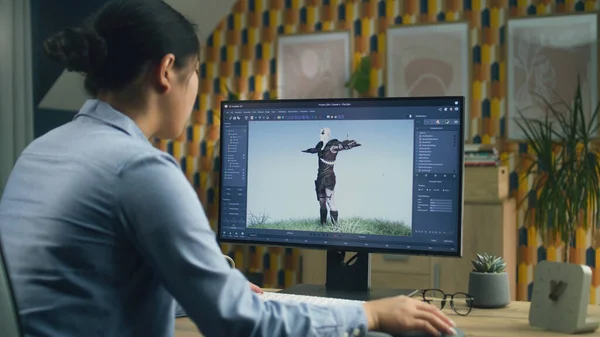
Imagine a team preparing graphics for a technology article. It could experiment with a clean futuristic illustration, a realistic workspace scene, and a more abstract interpretation of the same subject.
Seeing those possibilities makes creative conversations more specific. Instead of saying, “We need something modern,” a team can point to an actual visual and explain what should stay, what should change, and what does not fit.
Faster Experimentation Changes the Creative Process
One of the biggest practical benefits of generative imagery is the ability to test ideas without fully developing each one.
More Concepts Can Be Explored
Traditional creative work often forces teams to narrow their choices early because each concept requires time and effort. AI changes that calculation.
Creators can quickly experiment with:
Beginners Can Communicate Ideas More Clearly
Not everyone knows how to sketch or use professional design software. That does not mean they lack strong visual ideas.
Someone using a free AI image generator can create a rough representation of a concept and use it to communicate with designers, colleagues, clients, or collaborators. The generated visual does not necessarily need to become the final asset. Its purpose may simply be to show what the person has in mind.
Better Prompts Start With Better Creative Direction
Generating more images does not automatically lead to better results.
Think Beyond the Main Subject
A useful prompt usually describes more than what should appear in the image. It can also specify:
Iteration Is Part of the Process
The first generated image can reveal problems that were difficult to anticipate in text. A background may be too busy, the main object may be poorly positioned, or the style may clash with the rest of a website.
Those issues can guide the next version. In that sense, generating and refining become part of the same creative loop.
Where Human Review Becomes Essential
AI-generated imagery can contain both obvious mistakes and subtle inaccuracies.
Visual Errors Are Still Common
Reviewers should check for issues such as:
Factual Accuracy Matters Too
This becomes especially important in journalism, education, science, health, and other areas where an image could be interpreted as evidence.
A realistic-looking illustration of an event, device, location, or scientific concept may still contain fabricated details. Human verification is therefore essential when factual accuracy matters.
Free Tools Are Useful for Experimentation
The word “free” is often associated only with price, but free access can also reduce the risk of trying something unfamiliar.
A Low-Risk Way to Learn
Beginners can use free tools to explore basic prompting, compare approaches, and determine whether generative imagery genuinely improves their workflow.
They can test questions such as:
Where Visual Prototyping Can Be Most Useful
AI-assisted prototyping can support several types of work.
Content and Publishing
Writers and editorial teams can test illustration concepts before commissioning or refining a final visual.
Marketing
Teams can compare several campaign directions before committing time to production.
Product Development
Early product, packaging, or interface ideas can be visualized before formal design work begins.
Education
Teachers and presenters can experiment with ways of explaining abstract or difficult concepts through visuals.
None of these uses removes the need for designers, photographers, illustrators, or editors. They simply allow visual thinking to begin earlier.
Conclusion
AI image creation is becoming less about producing an impressive picture from a clever prompt and more about exploring ideas before significant time and resources are committed.
That makes visual prototyping one of its most practical uses in 2026. People can compare possibilities, communicate concepts, and identify weak ideas earlier in the creative process.
The technology provides speed and flexibility, but the meaningful decisions remain human: deciding what a visual should communicate, which concept deserves development, and when a rough experiment is ready to become polished content.